UnitCue

UnitCue · the sales workspace for property

Every unit. Every answer.
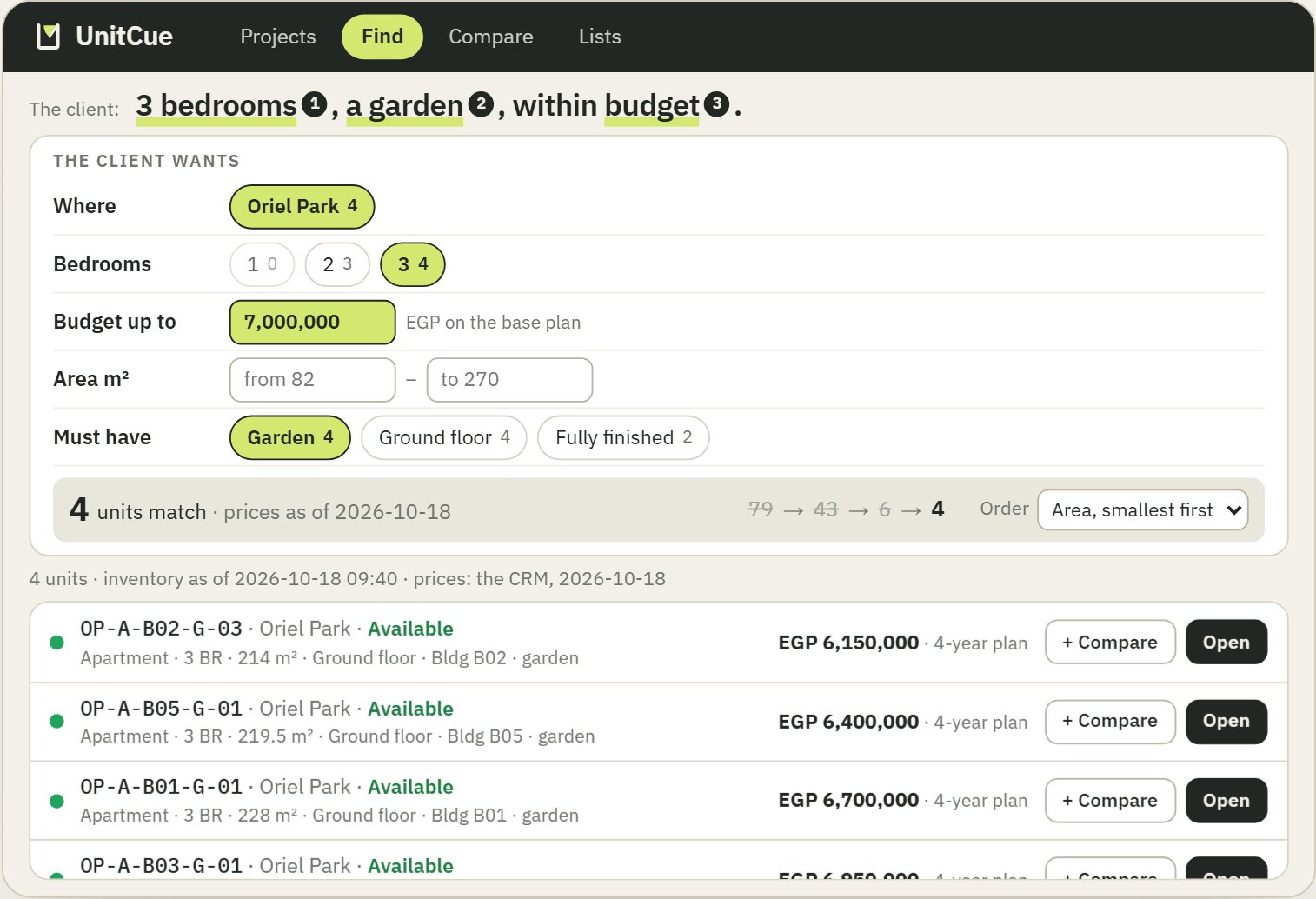
UnitCue’s Find screen on the demonstration project: the client wants 3 bedrooms, a garden and a budget of 7,000,000 on the base plan; 4 units match, each listed with its code, status, area and price.

Oriel Park is a demonstration project drawn on real architectural plans; every name, code, figure and status is fictional.

UnitCue is the workspace a property sales team answers clients from: the whole project in one place, every unit with its place, its plan and its price, and a file to hand over. Always current.

On the screen, a client’s request turns into filters.
Find, with its five questions: Where, Bedrooms, Budget up to, Area and Must have, each choice showing how many units it leaves.

01A client calls

Start from what the client said.

Where, how many bedrooms, the budget, the area, what they must have: five questions, always in view. Every choice carries its count, so you know what is left before you tap.

If nothing fits, Find says which filter to drop, and where else the same request finds units.

Tap a chip and watch the count. Type a budget. Open a unit, or add two to compare.
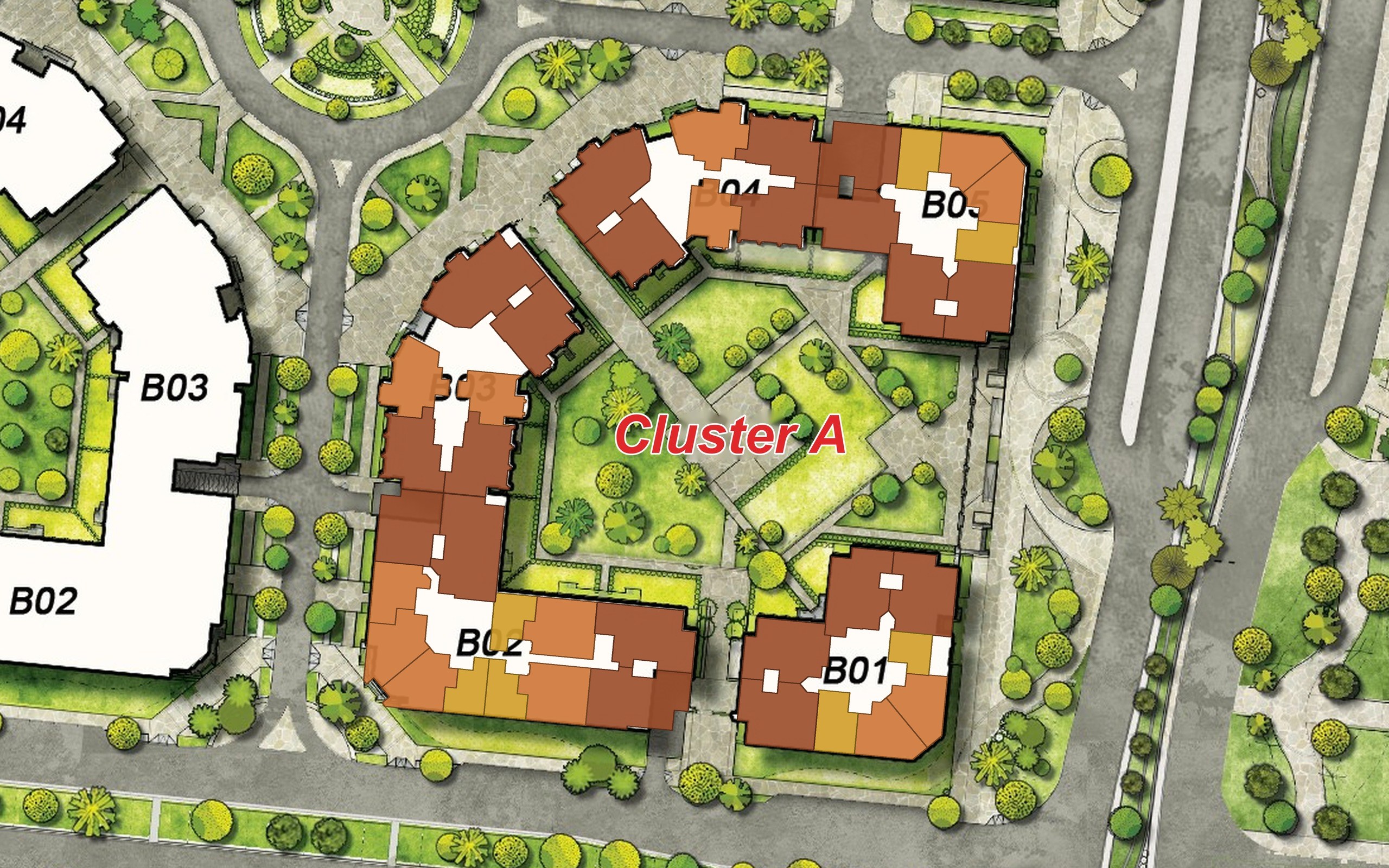
The master plan of Cluster A with every unit of the first floor drawn on it and coloured by bedrooms, from gold for one bedroom to brown for three.

02Know the project before you answer

Read the whole project in one look.

Colour the master plan by status, by bedrooms or by unit type. Tap one kind in the legend to see only it. Turn the project in 3D.

Before the client finishes the sentence, you know where the three-bedroom units are and which buildings have nothing left.

Press Color by → Bedrooms, then tap 3BR in the legend. Press 3D and drag the picturestep round with ‹ ›.
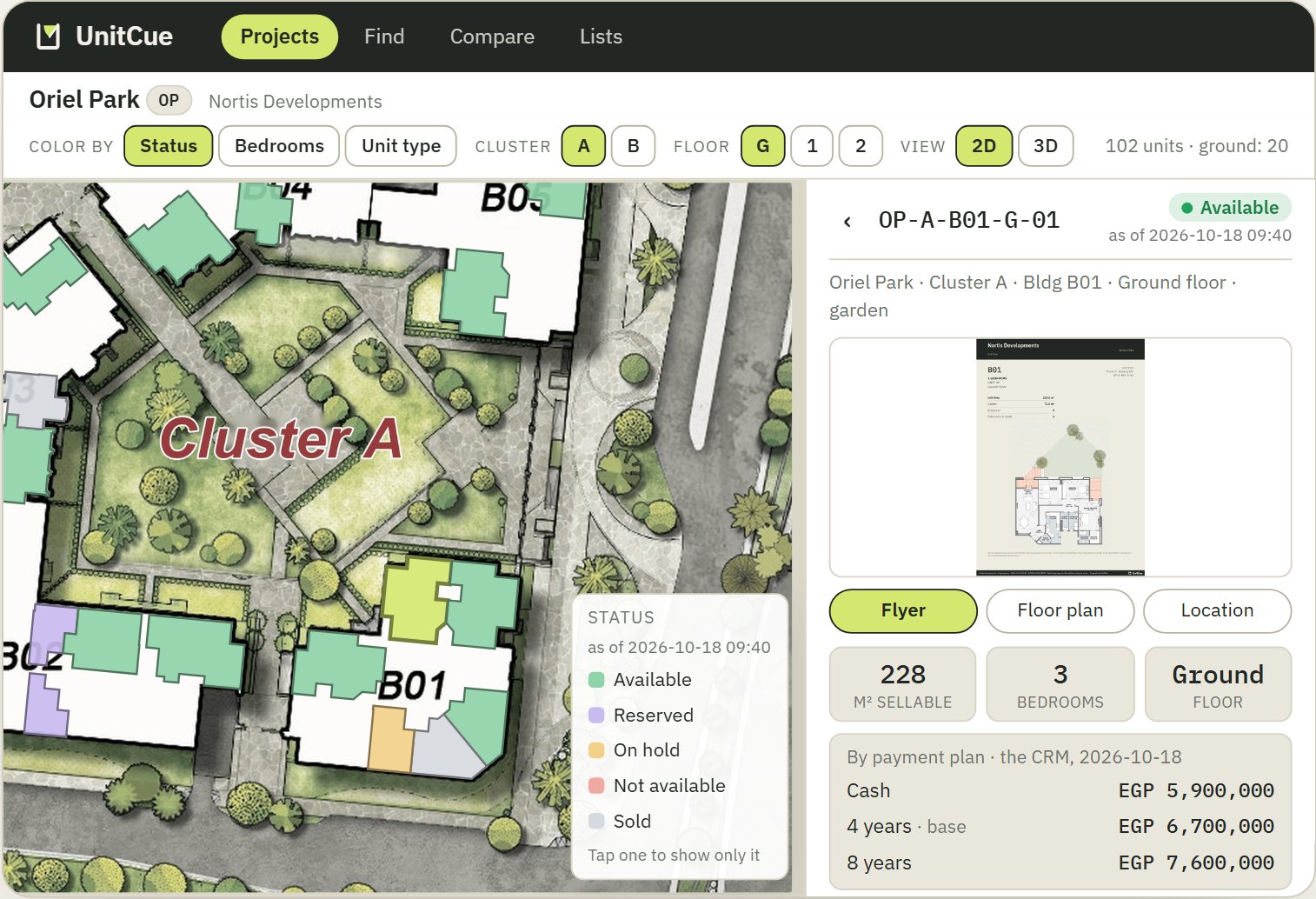
Unit OP-A-B01-G-01 open in its card beside the master plan, where it is drawn in lime: Available as of 2026-10-18 09:40, 228 m², 3 bedrooms, ground floor, and its three payment plans dated by the CRM.

03Open the unit

Where is it, what is it like, how much?

The unit drawn on the master plan, on its own floor. Its floor plan and its flyer page. Every payment plan, with the date it was read. Its status, with the time it was checked.

One screen, one unit.

Switch between Flyer, Floor plan and Location; pull the card up for its pictures.
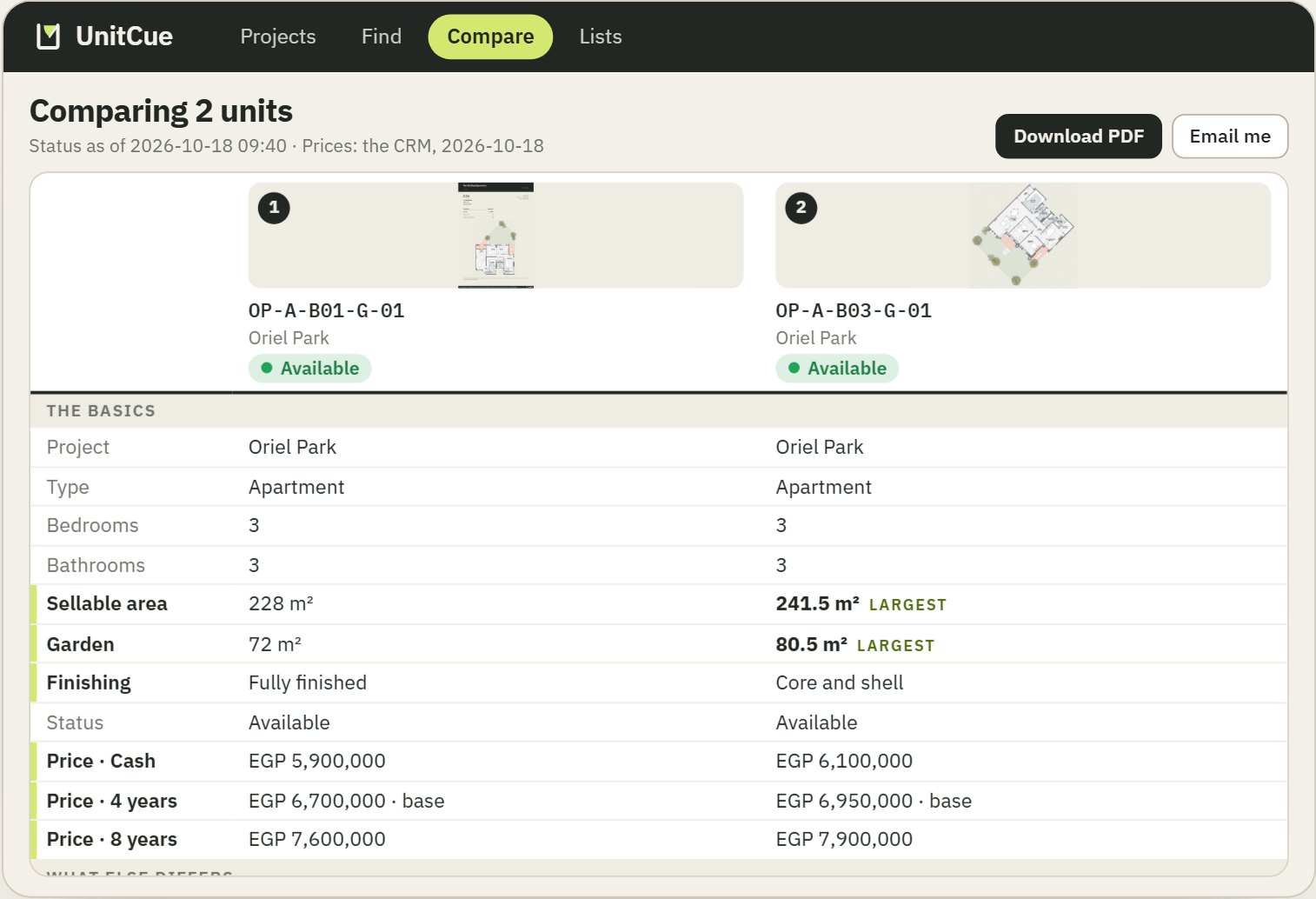
Two three-bedroom units compared side by side; the rows that differ carry a lime bar, and the larger area and garden are tagged largest.

04Say the one difference

Compare, differences first.

Up to four units, from any project, side by side. The rows that differ are marked and the larger figure is tagged.

The sentence the client needs is already on the screen: the same three bedrooms, 13.5 m² more inside and 8.5 m² more garden, for 250,000 more on the base plan.

Tap a row to bring it close.
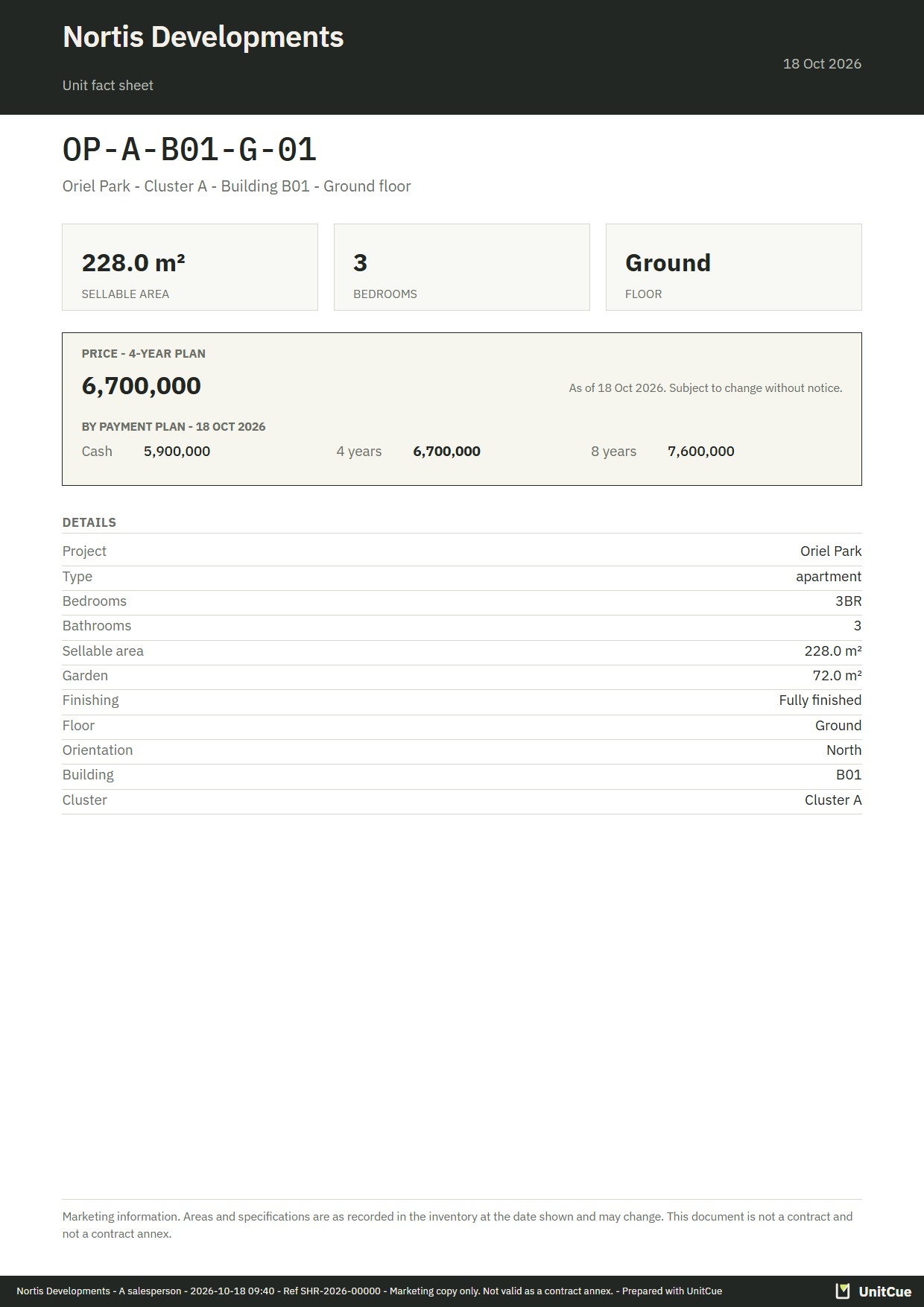
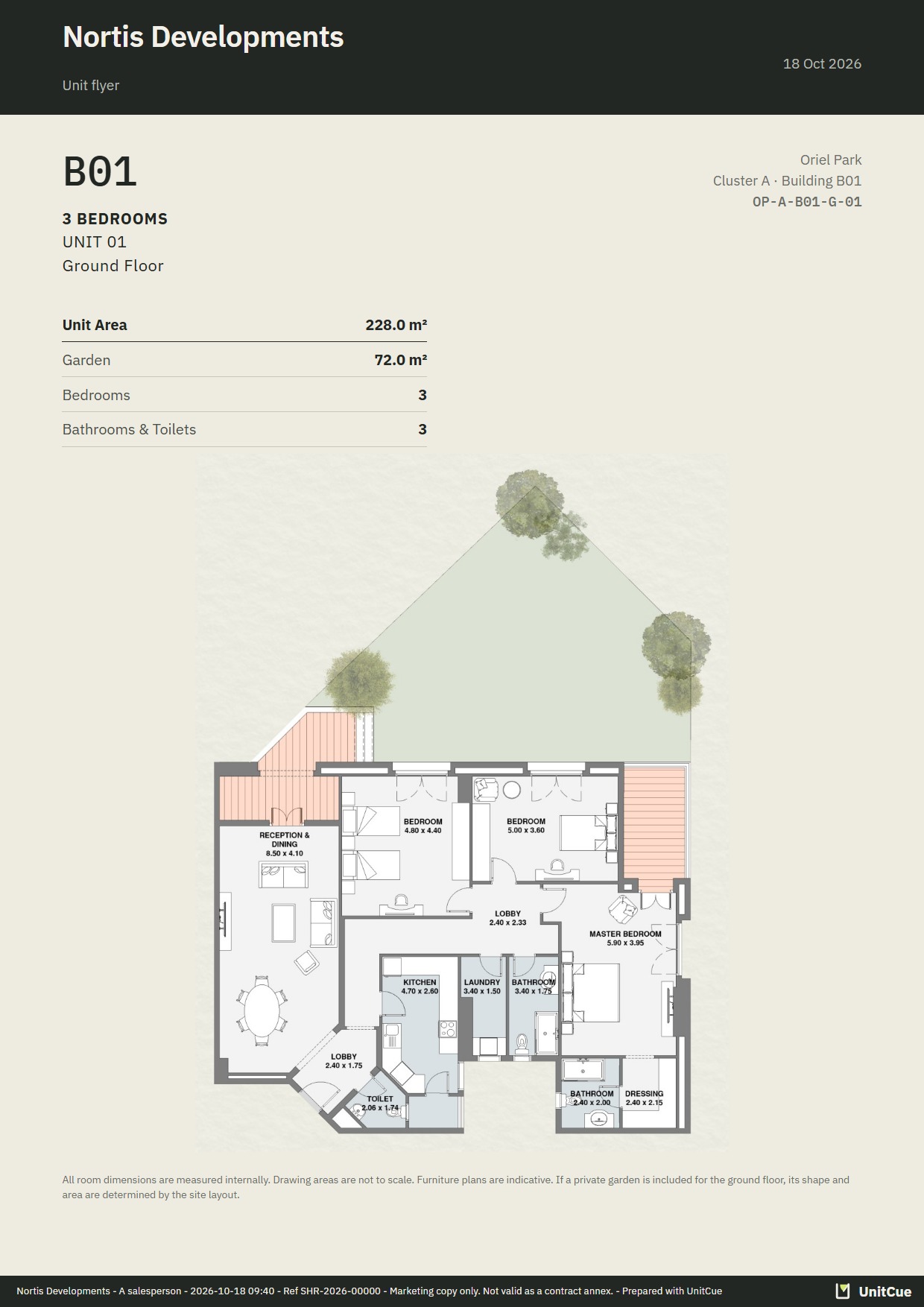
The fact sheet of OP-A-B01-G-01: Nortis Developments in the header, the unit’s plan, its areas and its payment plans with their date, who issued it and a reference. No status.The unit’s flyer page, the second page of the all-in-one file.

05Hand over a file with your name

A file, not a forward.

Download the fact sheet or the all-in-one file, or send it to yourself by email or WhatsApp and pass it on in your own conversation.

Every file carries the developer’s name, who issued it, when, and a reference. Never a status: a file lives for weeks, a status is true today.

Pick how you want it, then a file.
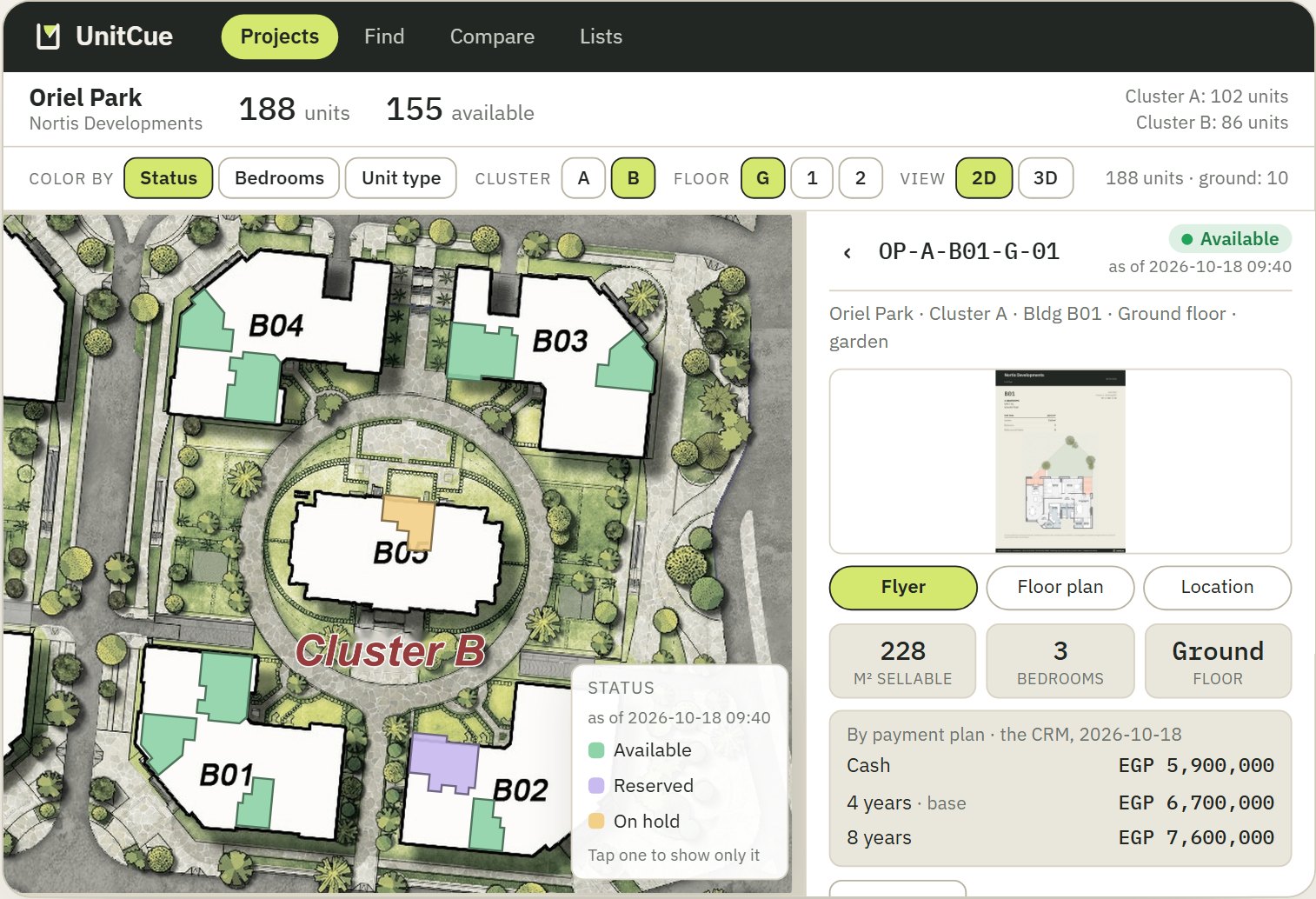
The project card over the map and the open unit: after Cluster B is released, the project counts every unit of both clusters and Cluster B’s units take their statuses on the master plan.

06Always current

When something changes, everyone has it.

A price moves, a flyer is replaced, a zone is released. Within a minute of a change landing in UnitCue, every open screen shows it, and the salesperson keeps their filters and the unit they had open.

A replaced flyer replaces itself for everyone; the old one cannot be shown again. Release a zone in the CRM and, at the next check, the whole team has it: on the master plan, with its figures.

Each one is undone by pressing it again.
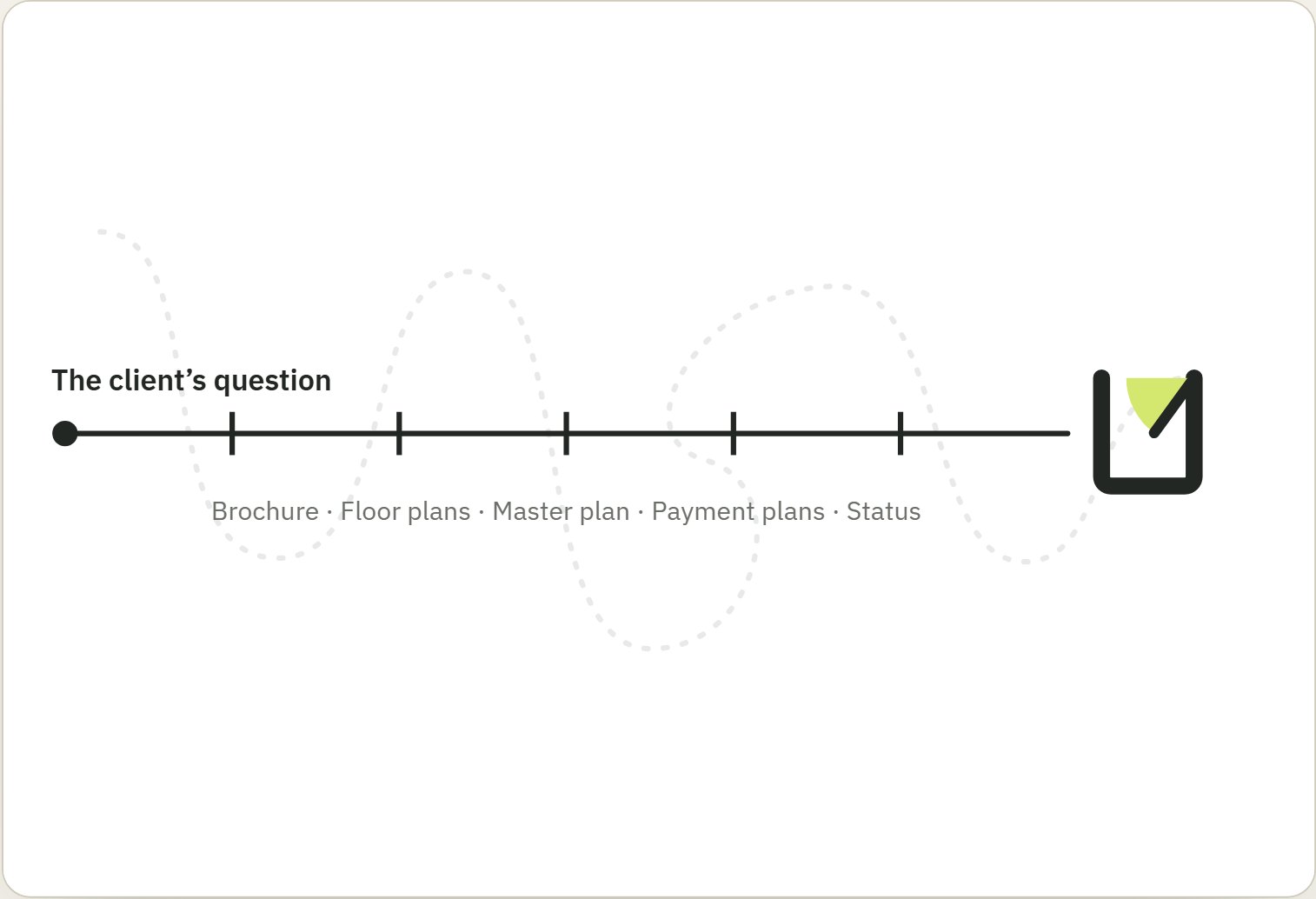
A line from the client’s question to the UnitCue mark, straight, with five ticks for the five places it no longer winds through: brochure, floor plans, master plan, payment plans and status.

07Accuracy, speed, focus

One source. One identity per unit.

Without UnitCue the answer lives in five places: the brochure, the floor-plan files, the master plan, the price list, the CRM. Every extra place you look is a place to get the unit wrong.

UnitCue hangs the plan, the place, the price and the status on one unit, so the plan you show and the price you say belong to the same unit, and your attention stays on the client.

Oriel Park is a demonstration project drawn on real architectural plans; every name, code, figure and status is fictional.

08For the sales director and the developer

What your project needs, and what the office hears.

A project needs

  • The master plan
  • The floor plans
  • The brochure pages
  • The unit list
  • Prices and statuses, read from the CRM

That is all it takes to look like the screens above. The unit list is the identity; the drawings, the pages and the figures hang on it.

The office hears

  • As it happenswhat changed, by WhatsApp
  • Every morning, week and montha digest of the changes, the longer ones with a report
  • The salespersonwhen a unit on their list is sold, comes back, or changes price

A zone released in the CRM reaches the whole team at the next check, on the master plan and in Find.

09Plain facts

What it is, in numbers that are true.

  • 5questions in Find, always in view
  • 4units side by side, at most, from any project
  • 2D · 3Dthe master plan, coloured three ways
  • 1 minbetween an open screen’s checks for a change
  • 1identity per unit: plan, place, price and status
  • 0promises about your sales

10Request a demo

See it on your projects.

Write to us, and we will show you UnitCue working, then look at what your projects would need.

Questions

Is this a demo or the product?

The screens on this page reproduce UnitCue’s own, on a demonstration project, so no company’s data is shown. In a demo you see the product itself, working.

Does it replace the CRM, or book units?

No. UnitCue reads unit statuses and payment plans from the CRM, read-only. It does not book, hold or sell a unit, and it keeps no client’s details.

Where do prices and statuses come from?

From the CRM, read-only. Each price shows the date it was read and each status the time it was checked. A status is shown on the screen and never printed into a file.

Can our team sign up?

Not by itself. It starts with a conversation and a demo.

What does the example on this page use?

Real architectural drawings of two clusters. Every name, code, figure and status is fictional: Oriel Park and Nortis Developments do not exist.